FAQ
Hood Warfare 2 Multiplayer: Servers, Party Invites, Bots
On this page
What multiplayer options does Hood Warfare 2 have?
The Steam listing tags the game Single-player, Multi-player, PvP and Online PvP. Its description says you can play online with friends and other players, or set up a match against bots.
| Feature | Status | Source |
|---|---|---|
| Online PvP | Yes | Steam store tags |
| Playing with friends online | Yes | Steam store description |
| Official servers | Yes, 40+ servers protected by Easy Anti-Cheat, added October 23 | Patch 1.0.2.0 notes |
| Matchmaking | Reworked November 3; party members now join the same team | Patch 1.0.2.2 notes |
| Spawns | Prioritize locations near your teammates instead of random safe spots, added November 11 | Patch 1.0.2.4 notes |
| Killcard | Redesigned November 11; shows the killer's Steam profile picture, level and full weapon name, and stays on screen until you respawn | Patch 1.0.2.4 notes |
| Map voting | Yes, vote between matches, added November 3 | Patch 1.0.2.2 notes |
| Party invites | Yes, invite friends to your party and queue together, added October 16 | Patch 1.0.1.7 notes |
| Private matches | Yes, password-only lobbies, added October 14 | Patch 1.0.1.4 notes |
| Bot matches | Yes, with your choice of map, mode and settings | Steam store description |
| Voice chat | Yes, lobby-wide or team only, added October 12 | Patch 1.0.10 notes |
| Crossplay | No; Windows PC is the only platform | Steam store platforms |
| Split-screen or local co-op | Not listed | Steam store tags |
| Steam Family Sharing | Listed | Steam store tags |
How do you play Hood Warfare 2 with friends?
Everyone needs the Windows version on Steam. The store description covers setting up a match with your choice of map, mode and settings. Patch 1.0.10 fixed the join-match screen showing inaccurate ping, and patch 1.0.1.4 lists fixes for various join issues.
Player reviews fill in the rest. They describe a quick-match option, a server list you can browse and hosting your own match, which one reviewer says needs no port forwarding or extra setup. Patch 1.0.2.0, announced October 23, 2026, updated Quick Play so you can select your preferred game mode.
Friend features were thin at launch. Reviewers before and after patch 1.0.10 asked for a way to invite friends before a match starts and for friends-only private matches, and one wrote that joining friends was difficult. Patch 1.0.1.4, announced October 14, added private matches: you create a password-only lobby for you and your friends. Patch 1.0.1.7, announced October 16, added party invites, now the main way to play with friends; private matches remain for password-only lobbies. Team voice chat uses T by default.
How do party invites work in Hood Warfare 2?
Patch 1.0.1.7, announced October 16, 2026, added PARTY mode: invite friends to your party, queue up and join games together. The patch 1.0.1.8 page covers the update after it; patch 1.0.2.4 (November 11, 2026) is the latest, making spawns prioritize locations near your teammates, after 1.0.2.2 (November 3) put party members on the same team — see the patch notes index.
The notes do not name the menu location, a party size limit or whether a party can switch modes, so check the game menu after updating.
- Have every friend update to patch 1.0.1.7 or later and confirm the version in the bottom-right corner of the menu.
- Invite your friends to your party; the notes do not name the button.
- Queue up together or join a match together, then use voice chat (T by default) to coordinate.
Private match checklist: before friends join
Patch 1.0.1.4 confirms password-only private lobbies; keep this route for groups that are not in a party. The sequence below is a setup checklist based on that announcement; the notes do not document exact menu labels.
- Have every player check the build number in the bottom-right of the game menu. If the latest update (1.0.2.4 on November 11) is missing, fully exit Steam and restart it.
- Create a private password-only lobby and agree on the map and mode with your group; when creating a lobby you can now enforce first-person or third-person view (patch 1.0.2.2).
- Share the lobby password privately with the friends who will join.
- If joining fails, check updates and try the join again before changing network settings. Use the PC troubleshooting guide if the game crashes or the host connection drops.
| Symptom | Next step |
|---|---|
| Friend cannot join or the game crashes | Update and file checks |
| Game audio is silent | Choose an output device |
| Nobody can hear your microphone | Push-to-talk and microphone checks |
| Friend is on PS5 or Xbox | Check confirmed platform availability |
Does Hood Warfare 2 have crossplay?
No. Crossplay needs a second platform, and Windows PC on Steam is the only confirmed one. The store has no cross-platform multiplayer tag, and the developer has announced no PS5 or Xbox edition. The crossplay guide covers the platform-by-platform detail, and the PS5 and Xbox status page tracks those announcements.
Is there split-screen or local co-op?
Steam does not list shared or split-screen play, LAN play or a co-op category for Hood Warfare 2. The listing gives no sign of shared-screen play.
For playing alone, the single-player tag refers to bot matches. There is no story campaign in the official description.
Are matches peer-to-peer?
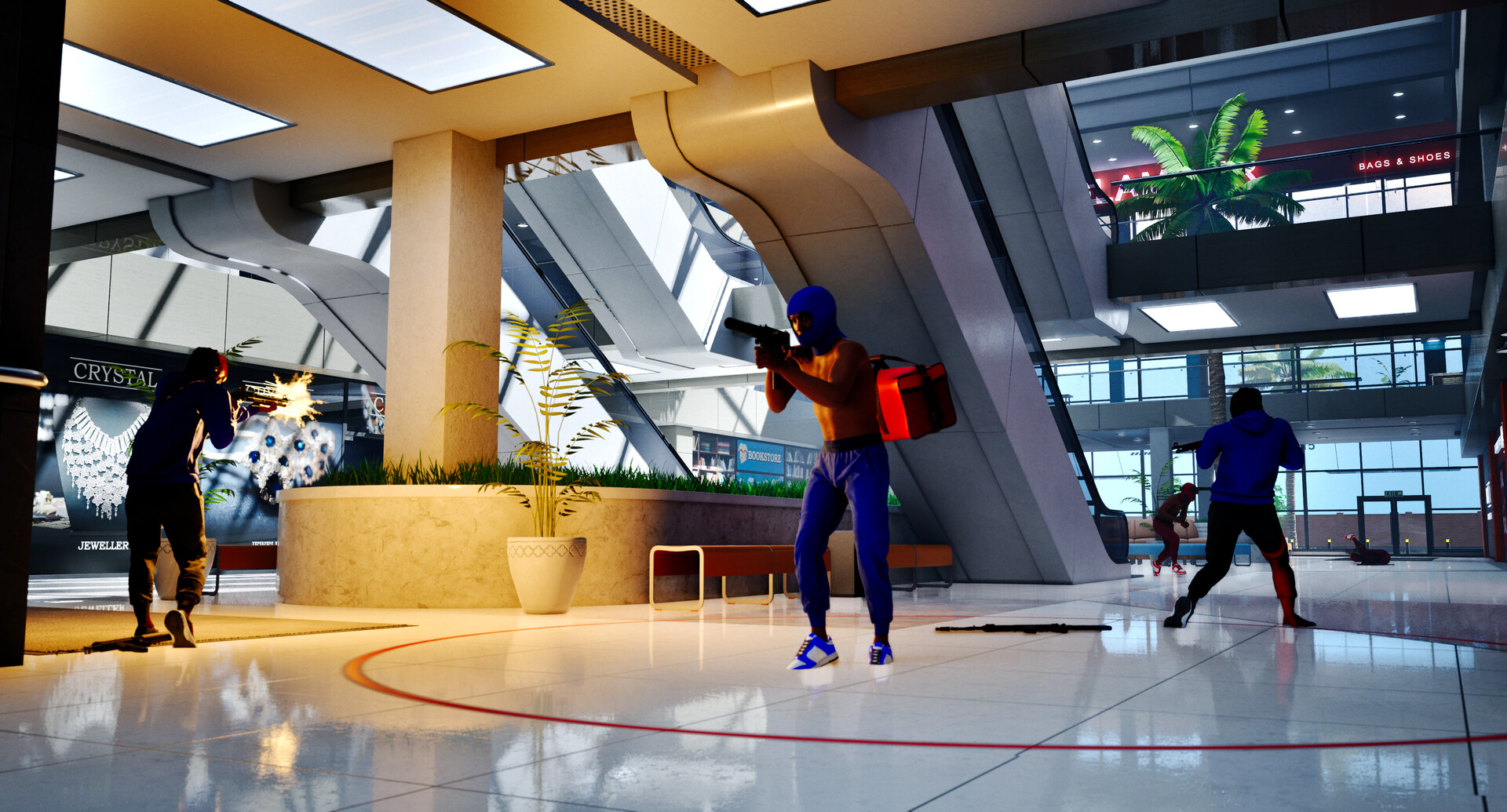
Players report that they are. Of 600 English Steam reviews read on October 13, 17 discuss hosting or peer-to-peer connections. They describe matches that depend on the host’s connection, pauses while the game looks for a new host, and lobbies that end when the host leaves.
Trapstar Games has not described its network model in the store description or its announcements, so this rests on player reports. In practice, choose matches with low ping on the join screen and expect an interruption if a host quits. If matches will not connect at all, start with the Can't connect / online not working checks in the PC troubleshooting guide.
How many players are in a match?
The store page gives no player cap. Steam reviewers disagree: one guesses five against five, another describes ten against ten. Check the lobby you join for the actual limit; team size may also differ by mode or by the host’s settings.
Does Hood Warfare 2 have voice chat?
Yes, since patch 1.0.10 on October 12, 2026. You can talk to the whole lobby or to your team only. Push-to-talk is the default and uses T, and the settings menu also offers open mic. The patch 1.0.10 page covers the rest of that update.
Can you play without other people?
Yes. You can set up a match and add bots to fill the teams. The official requirements still list a broadband internet connection, and no official source describes a fully offline mode. The first-match guide uses a bot match to learn a map and a mode.
Sources & verification
- Steam — Hood Warfare 2 store and platform data, checked October 18, 2026Store / platform · 2026-10-18
- Trapstar Games — Patch 1.0.10, October 12, 2026 (UTC)Official · 2026-10-13
- Steam — Hood Warfare 2 player reviews, 600 English reviews read October 13, 2026Player report · 2026-10-13
- Trapstar Games — Patch 1.0.1.4, October 14, 2026 (UTC)Official · 2026-10-14
- Trapstar Games — Patch 1.0.1.7, October 16, 2026 (UTC)Official · 2026-10-18
- Trapstar Games — Patch 1.0.2.0, October 23, 2026 (UTC)Official · 2026-10-23
- Trapstar Games — Update 1.0.2.2, November 3, 2026 (UTC)Official · 2026-11-04
- Trapstar Games — Update 1.0.2.4, November 11, 2026 (UTC)Official · 2026-11-12